





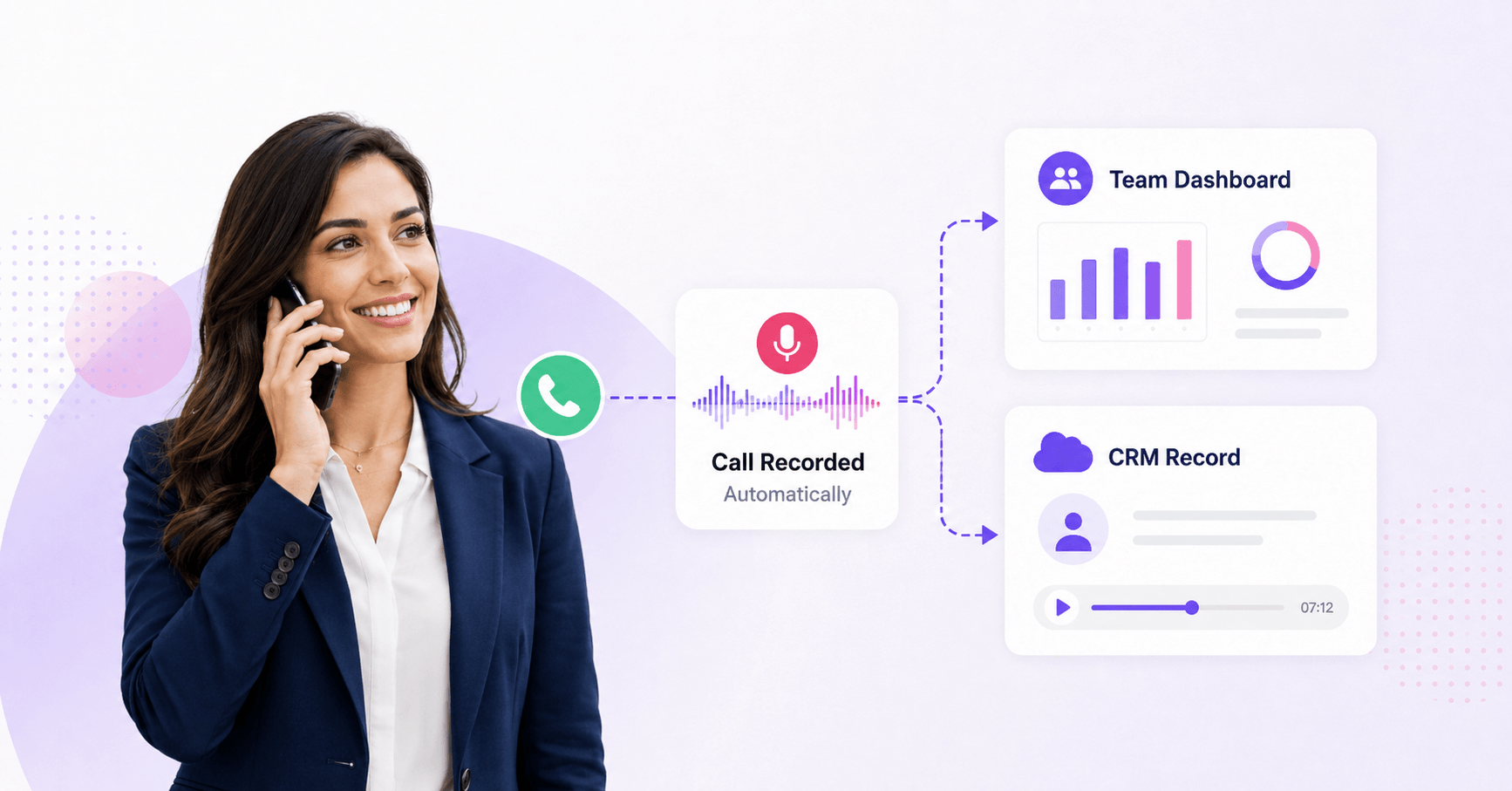

A sales representative agrees to a specific price and delivery date over the phone. The customer accepts, the call ends, and the deal moves forward.
Three weeks later, the customer disputes what was promised.
The representative remembers one version. The customer remembers another. The CRM contains two hurried lines of notes, and the manager has no reliable way to reconstruct the conversation.
That is when automatic call recording stops looking like a convenient phone feature and starts looking like a business requirement.
Sales leaders rarely search for an automatic call recorder because they want a larger collection of audio files. They want to:
The same need appears under several search terms, including auto call recording, automatic phone call recorder, and automatic phone recording.
How can a business record important phone calls automatically without relying on every sales representative to remember a manual step?
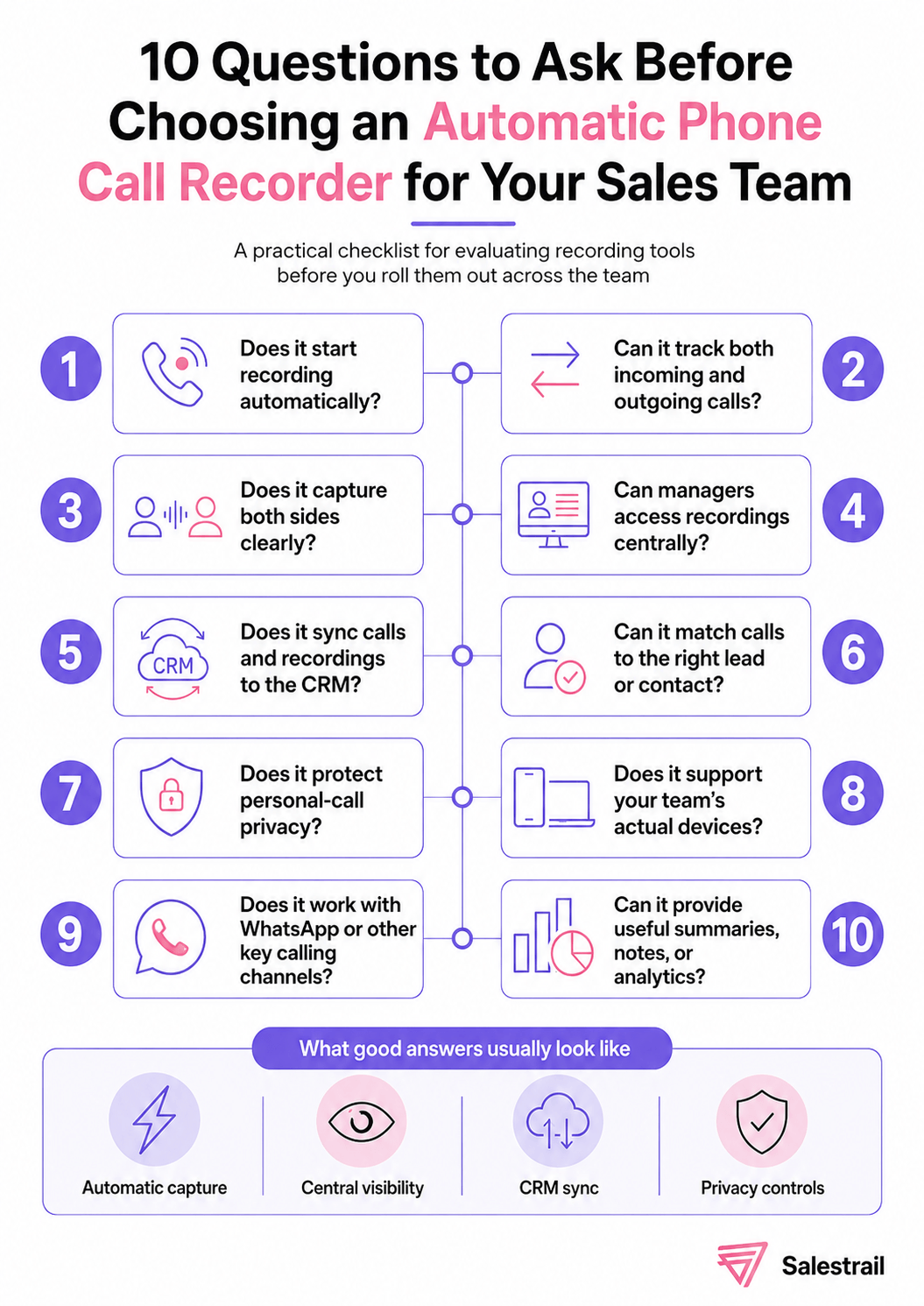
This guide explains how automatic recording works, which options are available on Android and iPhone, why some recorder apps fail, what sales teams need beyond an audio file, and how to choose the right setup for a mobile sales organization.
The primary focus is SIM/GSM phone-call recording. WhatsApp call recording is included where it affects the sales workflow, but it remains a secondary part of the article.
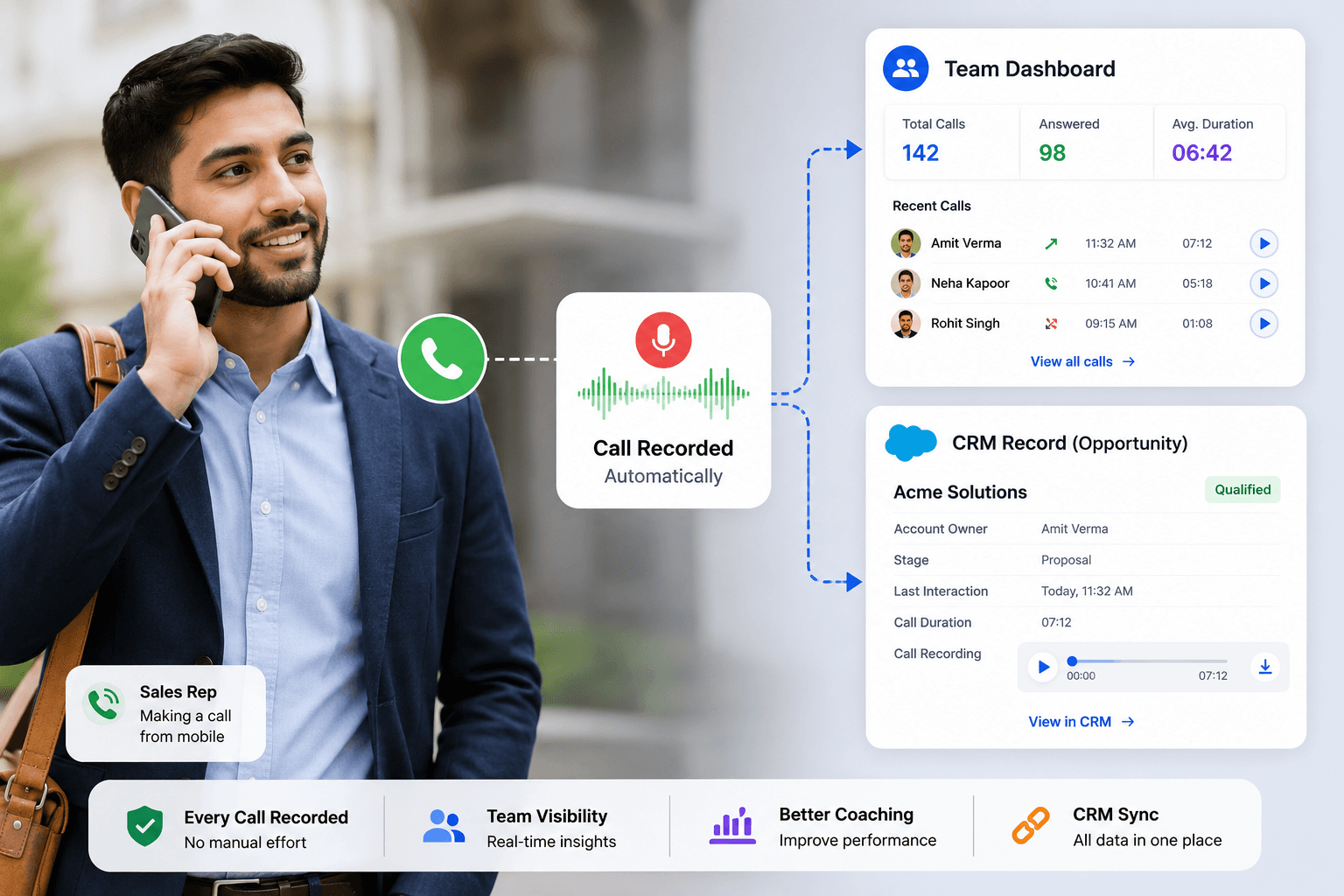
Automatic call recording is a system that starts recording a phone call automatically when the call connects, without requiring the user to press a record button each time. Once the call ends, the recording can be stored on the device, uploaded to a dashboard, or linked to a CRM record for future reference.
Whether it records both sides clearly depends on the phone, operating system, dialer, recording method, permissions, region, and device-level restrictions.
For a business, automatic activation is only one requirement. The system must also produce usable audio, protect personal calls, provide appropriate access, and connect the conversation to the systems where representatives and managers work.
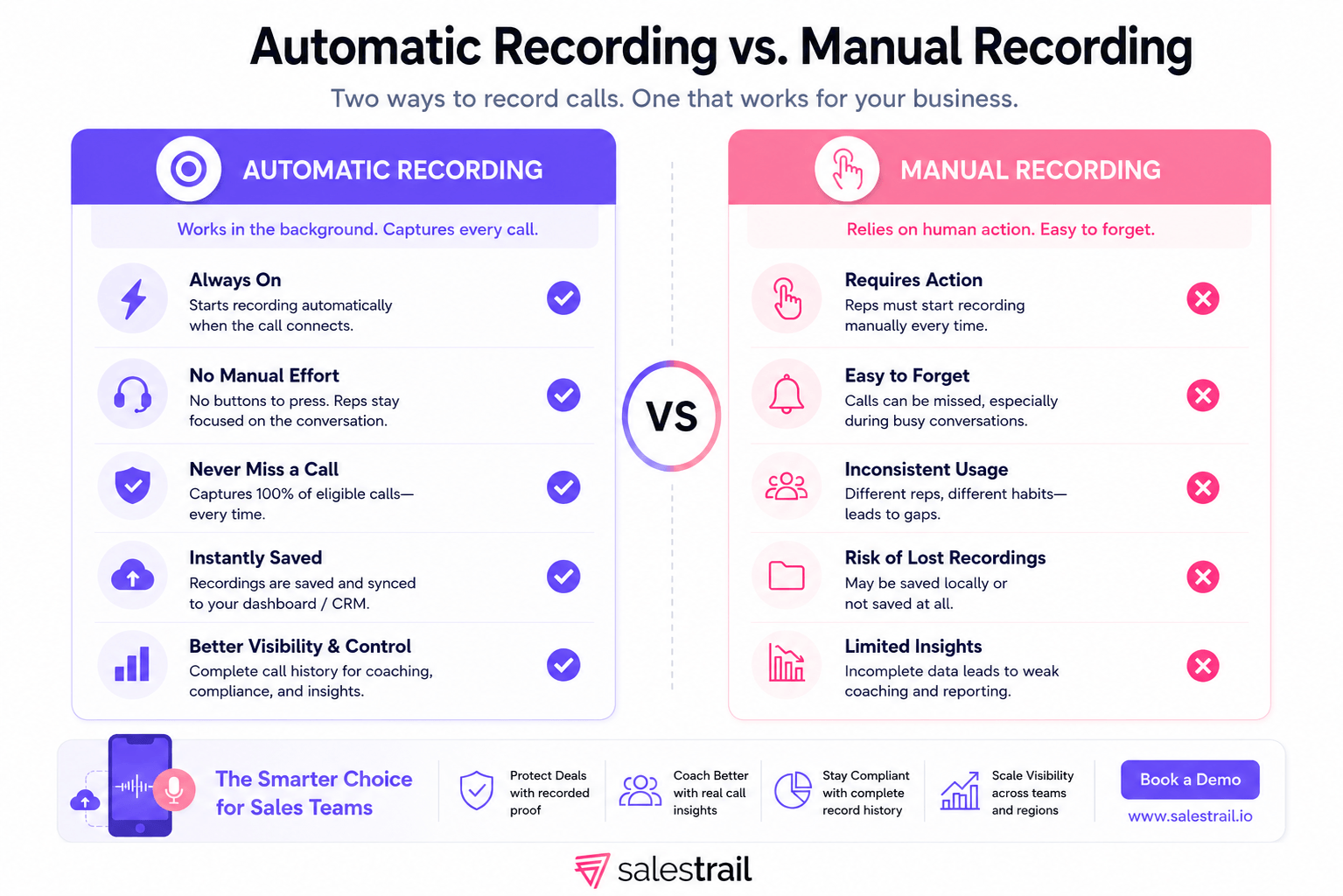
With manual recording, the user must actively start the recording. That may involve pressing a button, opening another application, merging a conference line, or activating a separate recording device.
With automatic recording, the configured system detects that a call has connected and starts the recording process.
|
Area |
Automatic recording |
Manual recording |
|
How recording begins |
Triggered when a connected call is detected |
User presses, merges, or activates something |
|
Action required during the call |
Normally none |
A manual action is required |
|
Main failure risk |
Device, permission, configuration, or audio-route issue |
Technical problems plus human forgetfulness |
|
Beginning of the conversation |
Can be captured from connection |
May be missed before recording starts |
|
Team consistency |
Can be standardized |
Depends on every representative following the process |
|
Best use case |
Repeated business-call workflows |
Occasional personal recording |
Manual recording can be suitable when one person occasionally needs to retain a particular conversation.
It is less dependable when dozens of representatives make hundreds of calls. One missed button can mean losing the conversation that later becomes the most important one.
Automatic activation does not automatically provide:
A personal recorder may answer: “Can I save this call on my phone?” A business system has to answer: “Was the correct call recorded, can the manager find it, is it associated with the right customer, and can the company control how it is used?”
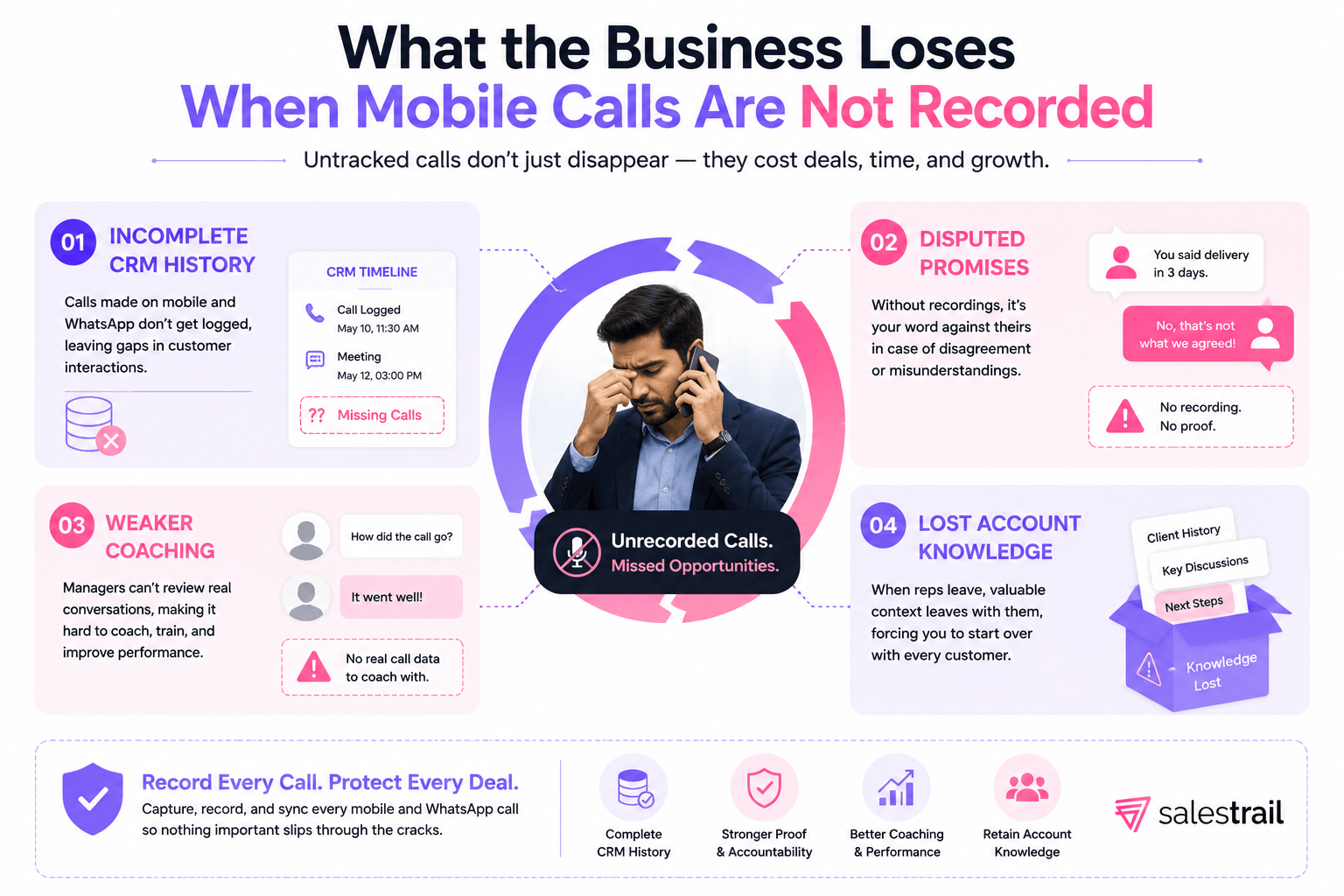
Sales conversations frequently contain details that never appear in an email:
When a disagreement appears later, both sides may remember the conversation differently.
A lawfully obtained recording allows the business to return to the original discussion rather than depending entirely on memory.
A representative may remember the general outcome while forgetting the detail that should shape the next follow-up.
The customer may not simply have said that the price was too high. They may have said that the budget would become available in the next quarter.
They may not have rejected the product. They may have asked whether it integrates with their CRM.
They may not have been “interested.” They may have said that another stakeholder must approve the purchase.
Those details are easy to lose when the representative immediately moves to the next call.
After a call, a representative may be expected to:
1. Find the correct lead or contact.
2. Create a call activity.
3. Record whether the call was answered.
4. Enter the duration and outcome.
5. Write a summary.
6. Add the next action.
7. Attach or locate the recording.
8. Create a follow-up task.
The process is manageable once. It becomes inconsistent after a full day of calls.
The CRM may receive:
Automatic logging does not replace thoughtful sales notes, but it can capture objective activity data without requiring the representative to recreate it manually.
A manager can ask, “How did the call go?”
That stops being a dependable coaching method once the manager is responsible for a larger or distributed team.
Recordings can help managers review how representatives:
The purpose should be coaching, quality review, and business continuity - not random monitoring.
Many sales conversations happen away from a desktop.
Real-estate agents call between property visits. Recruiters speak to candidates from their phones. Education advisers respond to enquiries throughout the day. Field representatives call while travelling between customer meetings.
These conversations may happen through:
When the CRM only sees calls made through a desktop or cloud dialer, a significant part of the customer journey can remain invisible.
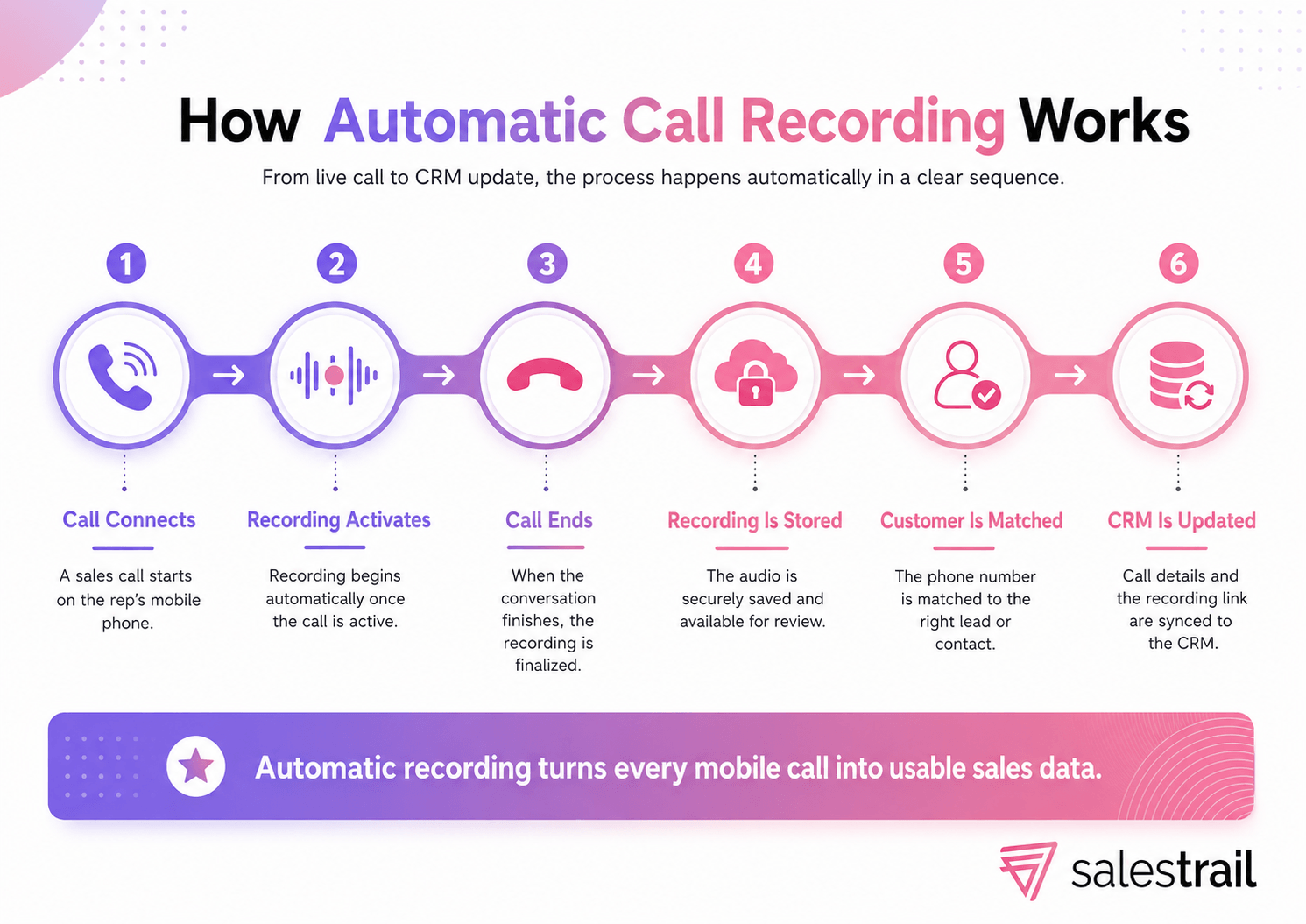
A typical recording process follows five stages:
1. A call is detected.
2. The call connects.
3. The configured audio source begins recording.
4. The call ends and the recording is saved.
5. The recording may be uploaded, matched to a user, and associated with a CRM record.
The first four steps create an audio file.
The fifth step is what makes the recording usable across a sales organization.
There are two common smartphone recording routes.
Built-in or system-level recording
Some phones include a recorder within the operating system or native dialer.
The advantages are usually:
The limitations are:
Separate recording application
A separate recorder can provide more flexibility, particularly on Android.
Depending on the app and device, it may require:
This is why two Android phones can require different configurations even when they run similar versions of Android.
Not every recorder has access to the same audio route.
A system-integrated recorder may access in-call audio more directly. Another app may rely partly on the phone’s microphone or another permitted source.
That difference affects:
Google Play states that the Accessibility API is not designed for remote call-audio recording. Google’s Phone app also limits recording to supported devices, carriers, and regions. These platform restrictions are one reason there is no single recording method that works identically across every Android phone. (Ref. Google Play Developer Policy, Google Phone Help)
Android offers more recording options than iPhone, but it also has more device variation.
Google Phone supports recording individual calls and, on eligible devices and in eligible regions, automatically recording unknown numbers or selected contacts. Google notes that support depends on the device, carrier, and country or region, and participants are notified when recording starts. Recordings remain on the device rather than being backed up by Google. (ref. Google Phone Help)
Other Android manufacturers may provide their own native recorder.
Before relying on any built-in recorder, check:
Third-party recorders may offer:
However, compatibility should be tested rather than assumed.
Android version, device manufacturer, audio source, battery settings, and permissions can affect the result.
Before standardizing on an automatic recorder, test:
1. An incoming SIM call.
2. An outgoing SIM call.
3. A long conversation.
4. A call after the phone has been idle.
5. A call with the screen locked.
6. A call from the selected work SIM.
7. A call using the representative’s normal headset or vehicle system.
8. Whether both voices are clear.
9. Whether the complete recording is saved.
10. Whether the file reaches the intended business system.
A successful recording on one phone does not prove that the same setup will work across every device in the team.
iPhone users have several possible recording routes, but each involves a trade-off.
The right choice depends on whether the real requirement is:
Apple supports native phone-call recording in selected countries and regions.
The user starts the recording during the call. Both participants receive an audio notification, and the notification repeats periodically. The recording is saved in the Notes app. Transcription and Apple Intelligence summaries are available only on supported models, languages, and regions. ( ref. Apple Support)
Advantages
Limitations for a sales team
Apple’s native option can be suitable when occasional, disclosed recording is acceptable.
It is less suitable when the organization needs every eligible call to be captured automatically without relying on user action.
Applications such as TapeACall record phone calls by creating a three-way conference between the user, the other participant, and a recording line.
For incoming calls, the user normally answers the call, opens the recording app, calls the recording line, and merges the calls. TapeACall states that carrier support for three-way conference calling is required. Its automatic inbound and outbound recording option is currently limited to the United States, which reduces its relevance for teams operating mainly in Asia, Europe, the Middle East, Latin America, Israel, or Turkey. ( ref. TapeACall Support)
Advantages
Limitations for a sales team
Hardware recorders such as Plaud Note attach to the phone and record calls independently of the operating system.
Plaud provides call and meeting recording, transcription in multiple languages, speaker labels, AI summaries, and access through its app and web tools. ( Ref. Plaud Note)
Advantages
Limitations for a sales team
Some iPhone teams do not require audio recordings of every call. Their real requirement is to capture:
In that situation, a call-logging application may be more practical than forcing a recording workaround onto every iPhone user.
Salestrail does not support iPhone call recording. On iOS, its role is call logging and CRM assistance:
This does not turn an iPhone into an automatic call recorder. It gives the sales team structured call activity when recording is unavailable or unnecessary.
iPhone can be a workable option when:
Android is generally the more practical route when the business requires automatic recording of ordinary SIM calls across a team, particularly when native-dialer use, dual SIM, and WhatsApp recording are also important.
The best choice depends on whether the user is an individual, an iPhone user, an Android user, or a sales organization that needs centralized administration.
|
Option |
Best suited for |
Main advantages |
Important limitations for sales teams |
|
Android-first sales teams that need recording, CRM integration, and manager visibility |
Automatic Android SIM recording; WhatsApp recording; native-dialer workflow; CRM matching; team dashboard; privacy controls; AI summaries in beta |
No iPhone call recording; Android recording setup can vary by device; business subscription required |
|
|
Individuals who have a supported Android phone |
Integrated with the phone; no separate recorder; automatic recording for selected numbers or unknown callers on eligible devices |
Device-, carrier-, and region-dependent; participants may be notified; recordings remain local; no CRM matching, team dashboard, role-based access, or WhatsApp recording |
|
|
iPhone users who need occasional disclosed recording |
Integrated with Phone and Notes; transcript and AI summary on supported devices |
Manual activation; audio notice; regional limitations; no automatic CRM matching, team administration, or WhatsApp recording |
|
|
Individual Android users who want cellular and selected VoIP recording |
Supports cellular and several VoIP apps on compatible Android devices; multiple audio sources; cloud-backup options |
Device compatibility must be tested; public feature set is focused mainly on personal recording and backup rather than CRM auto-logging, manager dashboards, or organization-level administration |
|
|
iPhone users whose carriers support three-way conference calling |
Records incoming and outgoing number-based calls; cloud storage and transcription |
Requires conference-call routing; incoming calls require manual action; automatic feature is currently U.S.-only; does not record WhatsApp or FaceTime; lacks a native sales-team CRM workflow |
|
|
Individuals who want call, meeting, and in-person recording with AI notes |
Works independently of mobile OS restrictions; hardware recording; multilingual transcription and summaries |
Requires separate hardware; not a native automatic call-logging system; CRM matching and organization-wide mobile-call administration are not its primary workflow |
The comparison is based on the providers’ current official product and support information. Google Phone limits recording by device, carrier, and region; Apple requires manual activation and an audible notice; TapeACall depends on three-way calling; Cube ACR publicly emphasizes individual recording and backup; and Plaud is primarily a hardware-led recording and AI note-taking system.
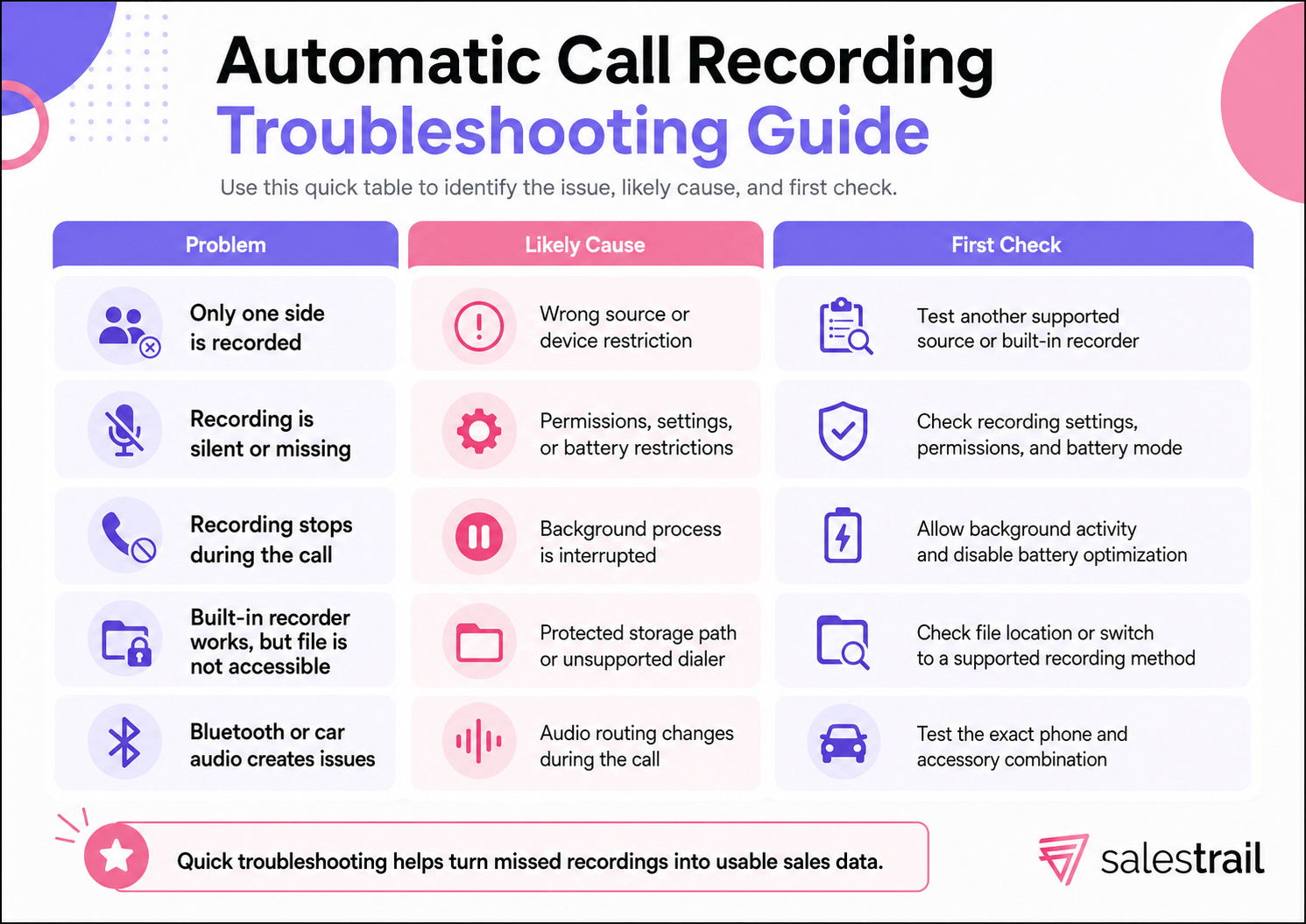
This can happen when the recorder captures the phone owner through the microphone but cannot access the complete in-call audio route.
Possible causes include:
The correct response is to test the exact device and recording method rather than assuming the app is working because a file was created.
Common causes include:
This commonly indicates that the operating system terminated a background process.
Check:
A phone may provide a recording option while storing the recording in a protected location.
This is particularly important when the phone uses Google Dialer. A different recorder or integration method may be required.
Bluetooth changes the audio route.
Results may vary by:
Avoid accepting a universal “yes” or “no” without testing the exact combination the sales team uses.
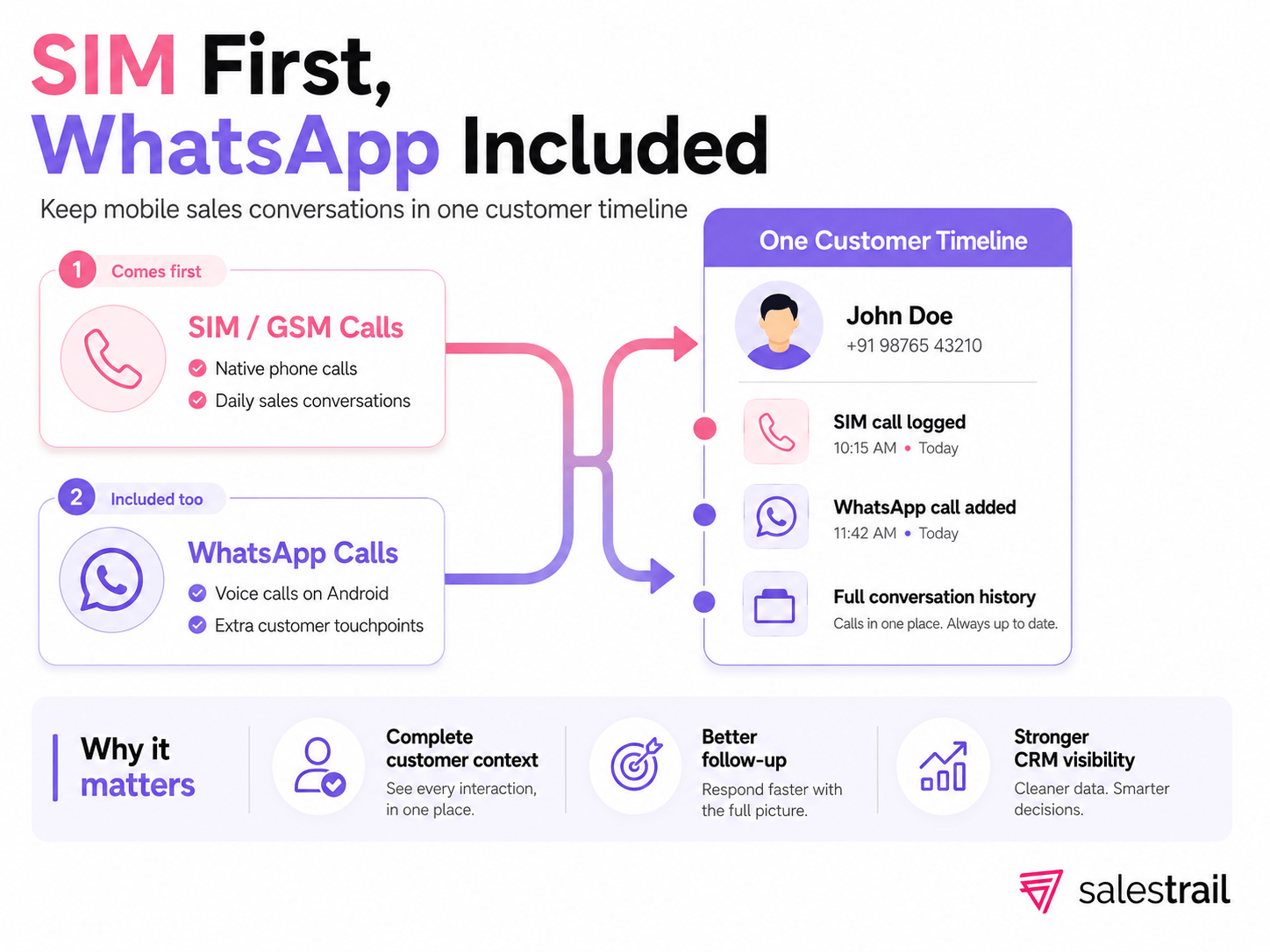
On Android, some recording applications and business platforms can capture WhatsApp and WhatsApp Business calls.
This matters because the customer journey may move between channels:
1. The representative makes a normal SIM call.
2. The customer replies through WhatsApp.
3. A later negotiation happens through WhatsApp voice.
4. The follow-up returns to a SIM call.
When the business tracks only SIM activity, the CRM may show only part of the relationship.
Salestrail also supports WhatsApp and WhatsApp Business call tracking and recording on Android, with the calls and recordings available through its dashboard and supported CRM workflow. Cube ACR publicly states that it can record WhatsApp and several other VoIP applications on compatible Android devices. ( Ref. Cube ACR and Salestrail WhatsApp Calling )
WhatsApp recording should remain a secondary evaluation criterion for this article.
The main question is still whether the solution can reliably support the team’s normal phone/SIM calling process.
A personal recording app may be enough when:
The limitations appear when the same approach is expanded across a sales team.
The business may end up with:
|
Requirement |
Personal recorder |
Business recording platform |
|
Save audio for one user |
Usually |
Yes |
|
Central recording library |
Usually no |
Yes |
|
CRM matching |
Usually no |
Yes |
|
Manager dashboard |
Usually no |
Yes |
|
Team permissions |
Usually no |
Yes |
|
Work and personal separation |
Limited |
Configurable |
|
Device rollout support |
Self-service |
Vendor-supported |
|
Call analytics |
Limited |
Team and user reporting |
|
Account handover |
Manual |
Central history remains available |
|
AI summaries |
Product-dependent |
Available in selected business systems |
A personal app creates an audio file. A business platform creates a managed workflow around the conversation.
Ask:
Recordings should not remain scattered across employees’ phones.
Look for:
A useful business system should connect the call to the correct:
A work phone may also be used personally.
Useful controls include:
The vendor should explain:
A clear limitation is more useful than a promise that every call works everywhere.
AI summaries can reduce the need to listen to every full recording.
The useful question is not merely whether AI is included. It is whether the summary:
Salestrail is not the best option for every recording use case.
It is not the right call-recording solution for an iPhone-only team, because Salestrail does not record iPhone calls.
It is also unnecessary for an individual who only wants to record an occasional personal call and does not need CRM integration or manager access.
Salestrail becomes a strong business option when the organization has the following requirements:
On Android, Salestrail can:
The Salestrail user guide documents separate Android recording paths for compatible built-in recorders and the Salestrail Recorder APK, together with WhatsApp recording, battery requirements, team access, and CRM integration. Ref. Salestrail User Guide
Salestrail’s current CRM connections include Salesforce, HubSpot, LeadSquared, Microsoft Dynamics, and Zoho, along with API and webhook options for custom systems.
The CRM can receive:
CRM-enabled users can also search contacts, use supported Caller ID features, and add post-call notes. Ref. Salestrail CRM Integration
Salestrail’s AI call-summary feature is currently in beta for selected users.
The feature provides:
The feature should remain labelled Beta until it becomes generally available.
Salestrail is most relevant when the team is:
General information only
This section provides general educational information and is not legal advice. Recording, consent, employee-monitoring, storage, and data-protection requirements vary by country and circumstance.
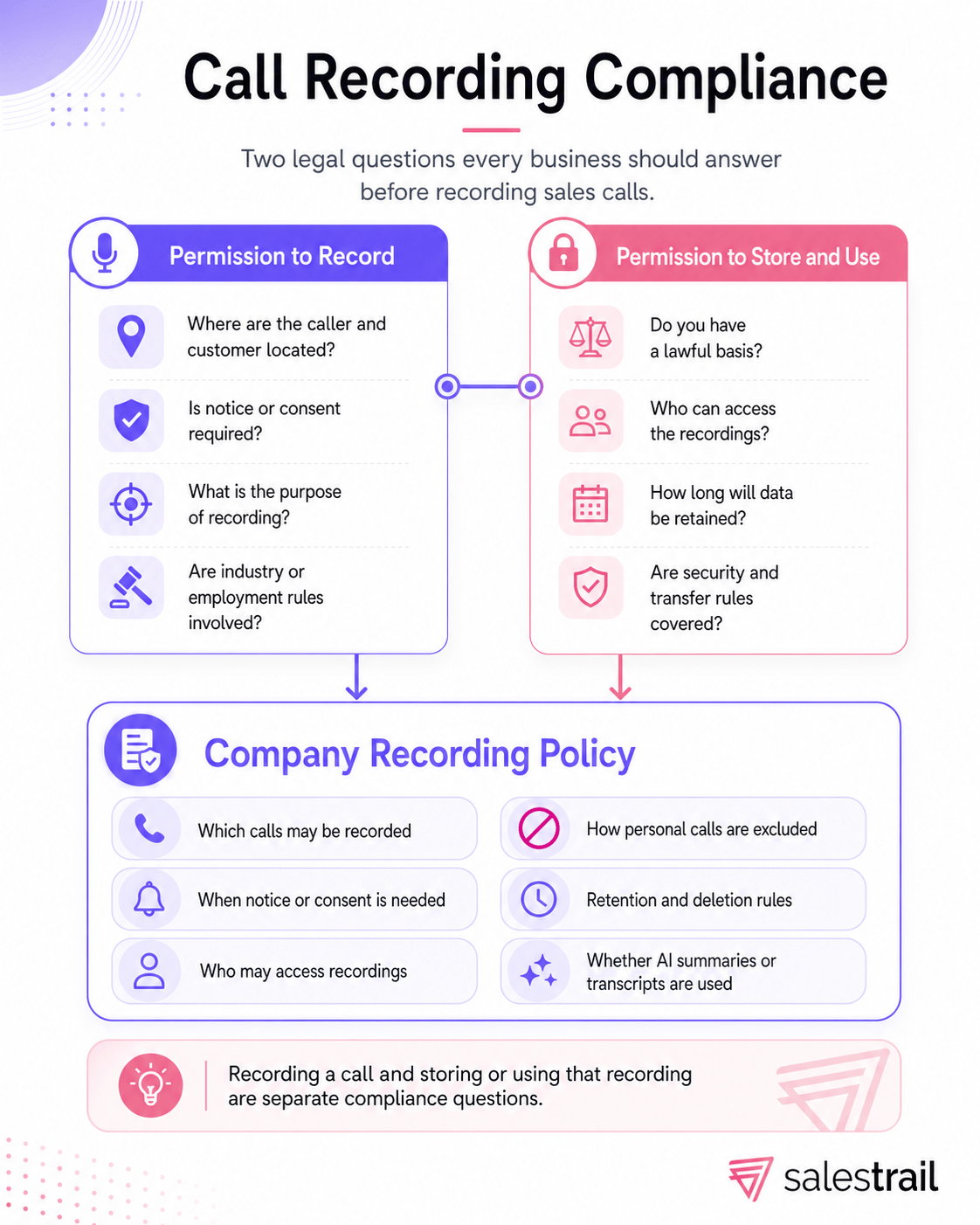
A business should separate two questions.
The answer can depend on:
A lawful recording can still be mishandled.
The organization may need to consider:
A practical policy should specify:
1. Which calls may be recorded.
2. Why they are recorded.
3. When notice or consent is required.
4. Who may access recordings.
5. How personal calls are excluded.
6. Where recordings are stored.
7. How long they are retained.
8. How deletion requests are handled.
9. Whether AI summaries or transcripts are created.
10. What happens when a customer objects.
Auto call recording starts capturing call audio when a connected phone call is detected. The user does not need to press a recording button during each conversation.
Usually, yes. The phrases describe the same general technology, although individual products differ in platform support, audio quality, storage, CRM integration, and team features.
Yes, on supported devices and configurations. Google Phone can record calls on eligible devices and in eligible regions, while other manufacturers and third-party apps provide additional options. Availability and notifications vary. [Google Phone Help]
Apple’s native recorder must be started during the call and both participants receive an audio notice. Availability also depends on the country, region, and language. [Apple Support]
For occasional recording, Apple’s native recorder is the simplest option where available. Conference-call apps can work when the carrier supports three-way calling. Hardware recorders are useful when the user also records meetings and in-person conversations. Businesses that mainly need activity data may choose call logging instead of recording.
No. Salestrail supports call logging and CRM-related features on iPhone, not call recording. Outgoing calls made through the Salestrail app can be logged, while incoming calls may be added manually. CRM users can search contacts, use supported Caller ID, and add notes.
The recorder may not have access to the complete in-call audio route. The selected source, device manufacturer, dialer, Bluetooth route, and operating-system restrictions can all affect the result.
Some Android applications and business platforms support WhatsApp recording on compatible devices. iPhone does not provide the same automatic third-party recording route.
Call recording captures the conversation’s audio. Call logging captures activity data such as the number, direction, result, duration, and timestamp. A business platform may provide both.
Yes, when the recording platform supports CRM integration. A business-focused system may connect the recording link and call metadata to the matching lead, contact, account, or activity.
The answer depends on the locations of the participants, consent or disclosure requirements, the purpose of recording, employee-monitoring rules, and applicable data-protection law. Obtain market-specific legal advice before implementing a company-wide policy.
It depends on the phone, operating system, accessory, and recording method. Test the exact combination before relying on it.
For a sales team, the real question is not simply, “Which app can record a phone call?”
The more important question is:
Which solution can automatically capture mobile sales calls, keep recordings centrally accessible, connect every conversation to the CRM, protect personal-call privacy, and give managers the visibility they need to coach and manage the team?
Built-in phone recorders, consumer recording apps, conference-call workarounds, and external hardware can solve isolated recording needs for individual users. However, they do not provide the complete workflow a mobile sales organization needs.
For Android-first sales teams that rely on SIM/GSM and WhatsApp calls, Salestrail is the complete, purpose-built solution.
With Salestrail:
Instead of combining a personal recorder, a separate call-logging tool, a reporting dashboard, and a CRM integration, Salestrail brings the entire mobile sales-call workflow together in one platform.
For mobile-first organizations that want reliable visibility into the calls their sales representatives actually make, Salestrail is not simply another automatic call-recording option. It is the solution built specifically for the way modern sales teams call, record, manage, and follow up.






No Comments Yet
Let us know what you think