
Some banking applications block access when Accessibility permissions are enabled for other apps, including Salestrail. This is a security measure implemented by banking apps.
To access your banking app, you may need to temporarily disable the Salestrail Recorder app Accessibility permission.
Steps to Disable Accessibility Permission
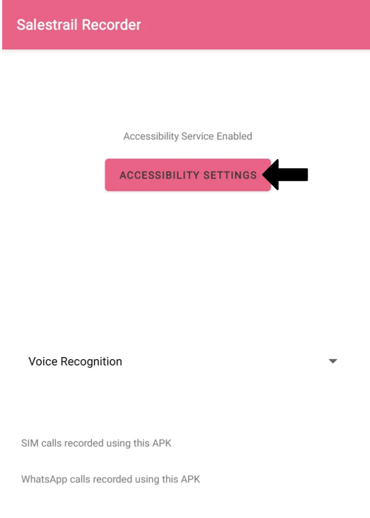
- Open Salestrail Recorder APK app
- Click on Accessibility Settings
- Tap on Installed apps or Downloaded apps (this may vary by device)
- Find and select Salestrail Recorder
- Toggle Off the accessibility permission
After Using Your Banking App
Once you have finished using your banking app, you can re-enable the permission:
- Open Salestrail Recorder APK app
- Click on Accessibility Settings
- Tap on Installed apps or Downloaded apps (this may vary by device)
- Find and select Salestrail Recorder
- Toggle On the accessibility permission
Note
- Disabling Accessibility may temporarily disable call recording feature
- This is expected and will resume once the permission is enabled again