
On iOS devices, calls must be made through the Salestrail app to be logged. Inbound calls are not logged automatically, but you can manually enter them using the steps below.
Step 1: Open Salestrail > Tracked Calls > +
Step 2: Fill in the details of the call to track > Add.
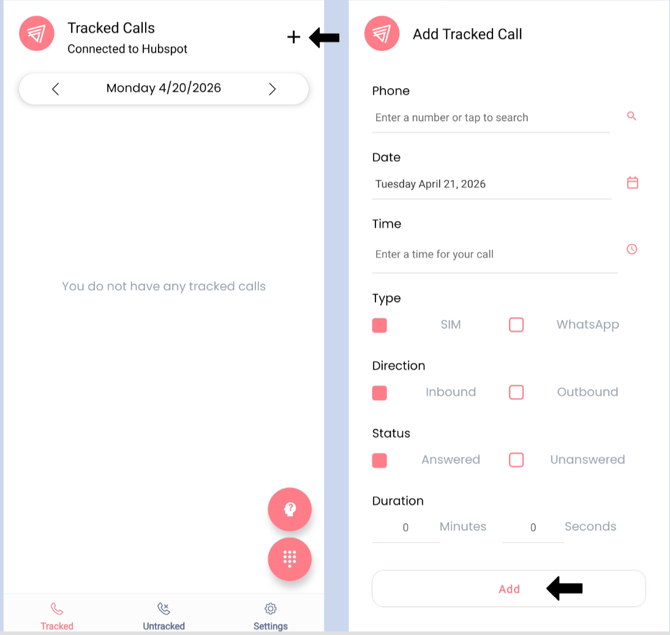
That's it! Very simple and fast, right? Once the call is added, it will show up in the Call Analytics dashboard immediately.