
If your device has a built-in recorder (and are not using a Google dialer), you are able to use it to record your GSM/SIM calls.
To record your calls using the built-in call recorder, you will first need to enable it.
-
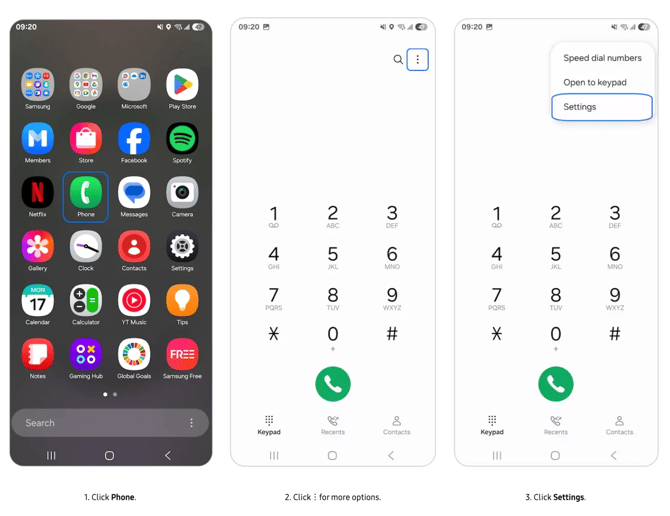
Open your phone dialer
-
Tap on the three lines or dots in the top right corner (on Samsung/Oppo/Realme) or in the bottom left corner (on Xiaomi).
-
Select "Settings."
-
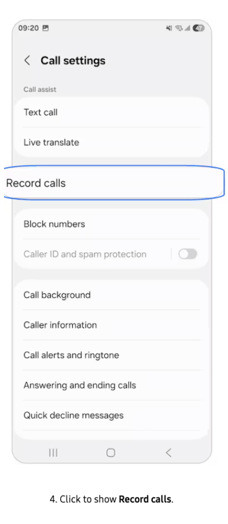
Choose "Call Recording."
-
Enable "Record Calls Automatically." Please take note of the folder that will hold your recordings.
🛑Go ahead and make a call so that you have a recording in your folder.
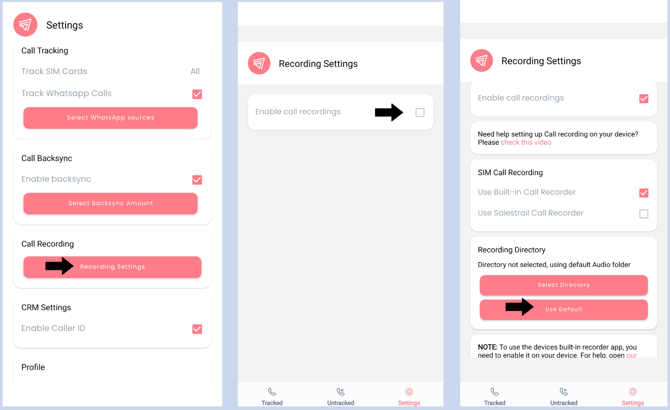
Next, open up the Salestrail app on your phone:
1. tap on Recording Settings.
2. Enable call recordings
3. Select 'use built in call recorder'
On Samsung Devices Use steps below:
On other devices with built in recorder, use steps below to select the directory.This will open a folder that has a recording that you did earlier.
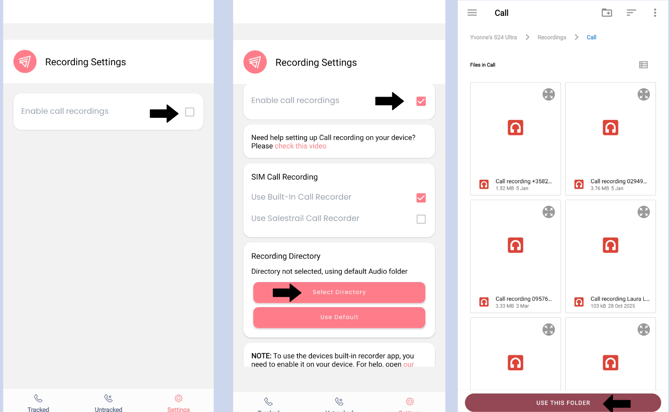
You are ready, when you see the folder path under Recording directory
Salestrail Recorder APK folder for WhatsApp recordings
If you wish to record your WhatsApp calls please continue the setup as follows:
- Open Salestrail app-Settings- Recording Settings.
- Tap Salestrail Recorder Directory.
- Enable whatsApp Call recording
- Navigate to the Movies folder where the Salestrail Recorder APK saves recordings.
- Tap Use this folder.
- Confirm the folder selection and grant access if prompted.
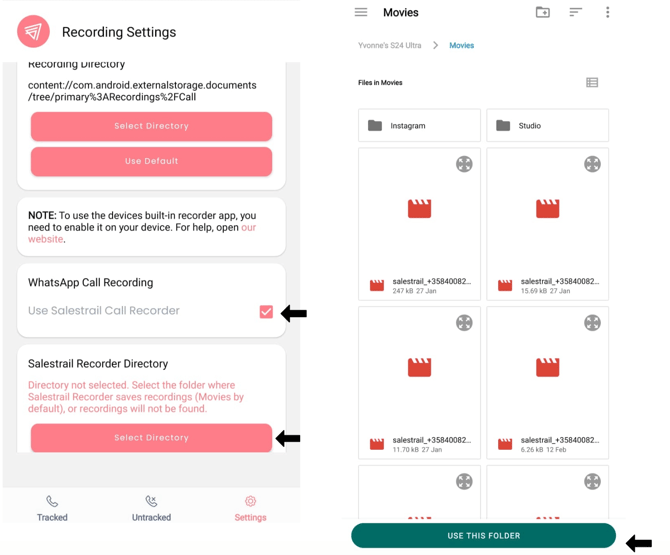
Important: The SIM recording and WhatsApp recording are two separate directories.
Both must be correctly configured to ensure that SIM and WhatsApp recordings can be detected and synchronised.
TIP: To ensure that calls are recorded without fail, both Salestrail app should be running in the background. Remove all battery restrictions and optimizations on your device to keep the app from being put to sleep.
Remember: It is your responsibility to adhere to your local laws and regulations pertaining to call recording. In some jurisdictions, obtaining explicit consent from all parties involved in the conversation may be a legal requirement.