
Integrating Salestrail with GoHighLevel allows calls made via Salestrail to be automatically logged in GoHighLevel.
There are two important parts to the setup: connecting your GoHighLevel account to Salestrail and installing the Salestrail app from the GoHighLevel Marketplace. Make sure you complete both steps.
Before you start
Before setting up the integration, make sure you have:
- Access to the GoHighLevel App: https://app.gohighlevel.com
- Admin permissions in GoHighLevel, as these are required to install apps
- Access to the correct Location (sub-account) in GoHighLevel
- An active Salestrail account
Step 1: Open Integrations in Salestrail
Go to: Salestrail → Integrations → Apps
You will see the available CRM integrations.
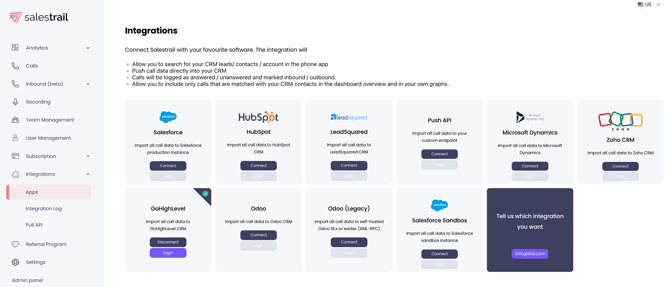
Step 2: Connect GoHighLevel
Find GoHighLevel and click Connect.
A popup will appear prompting you to log in to your GoHighLevel account.
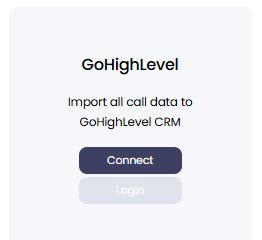
Step 3: Log in to GoHighLevel
You will be redirected to: https://app.gohighlevel.com
Enter your GoHighLevel credentials and authorize access.
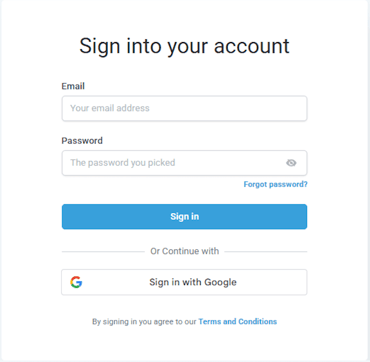
Step 4: Install the Salestrail app from the GoHighLevel Marketplace
|
This is a critical step and must not be skipped. |
Logging in during Step 3 connects your account securely via OAuth, but it does not activate the integration inside your GoHighLevel workspace.
You must also install the Salestrail app inside GoHighLevel.
Why is the Marketplace installation required?
Installing the Salestrail app ensures that:
- Salestrail is linked to your specific Location (sub-account)
- Call data can be pushed into GoHighLevel under contacts and conversations
- The required permissions and configurations are applied automatically
|
If you complete the login but skip the Marketplace installation, the integration may appear as connected in Salestrail, but calls will not be logged in GoHighLevel. |
How to install the Salestrail app
- Go to the GoHighLevel Marketplace (Apps section).
- Search for Salestrail.
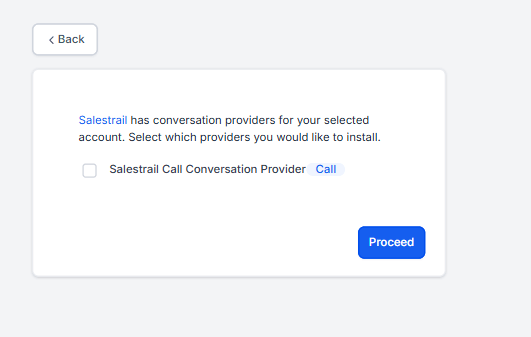
- Open the Salestrail app and click Install.
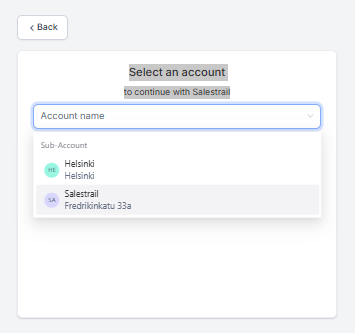
- Select the correct Location (sub-account).
- Confirm the installation.
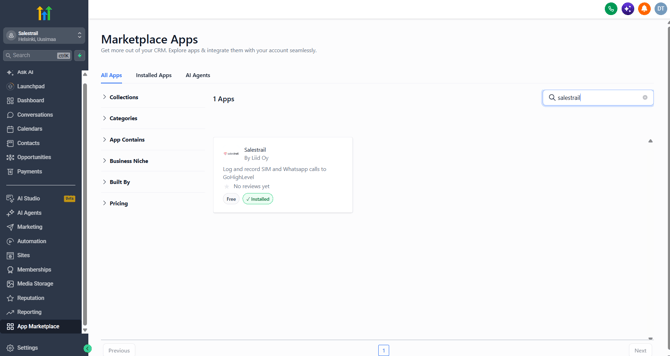
.png?width=670&height=370&name=image%20(8).png)
|
Important: Make sure you select the correct GoHighLevel Location during installation. |
Step 5: Verify the connection in Salestrail
Return to: Salestrail → Integrations → Apps
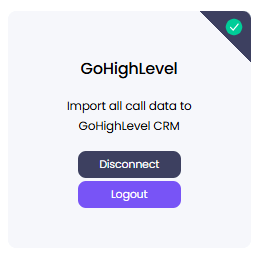
The GoHighLevel integration should now show as Connected.
Step 6: Complete individual user login
The organisation-level GoHighLevel integration is connected by the Owner or
organisation administrator.
After the integration has been connected, each team member must
complete a one-time login from their own Salestrail account.
Team members should:
1. Log in to the Salestrail dashboard.
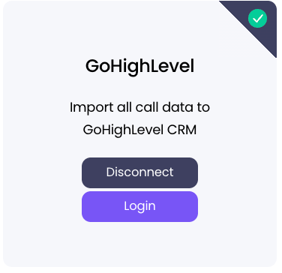
2. Go to Integrations → Apps.
3. Locate the GoHighLevel integration.
4. Click Login.
5. Authenticate with their own GoHighLevel credentials.
Step 7: Start using the integration
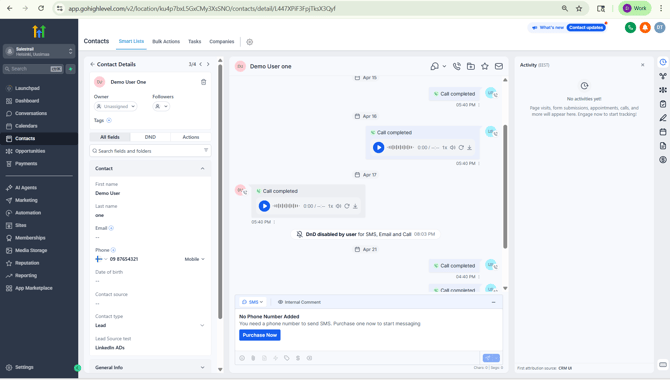
Once the integration is connected and the Salestrail app has been installed in the correct GoHighLevel Location, calls made via Salestrail will automatically be logged in GoHighLevel.
You can view the logged calls under: Contacts → Select Contact → Conversations / Activity timeline
Important things to remember
Both parts of the connection must be completed:
1. OAuth login: Log in to GoHighLevel and authorize Salestrail.
2. Marketplace installation: Install the Salestrail app for the correct GoHighLevel Location.
|
If the Marketplace installation is skipped, calls will not be logged in GoHighLevel, even if Salestrail appears to be connected. |
You also need admin permissions in GoHighLevel to install the app. If you do not have sufficient permissions, the installation will fail.
Common setup issues
If your calls are not appearing in GoHighLevel, check that:
- You selected the correct Location (sub-account) when installing Salestrail
- You did not skip the GoHighLevel Marketplace installation
- You granted the required permissions when logging in
Summary
Connecting Salestrail with GoHighLevel requires both the account connection and the Marketplace installation.
Login connects your GoHighLevel account.
Marketplace installation activates the integration for the selected Location.
Once both steps are completed, calls made via Salestrail are automatically logged in GoHighLevel.